Contributing
contents
Setup
Install the requirements:
pip install -r requirements_dev.txt -r docs/requirements.txt sphinx-autobuild
Note
If requirements are updated in git, re-run this command.
Set up the git pre-commit hook:
pre-commit installCompile message catalogs:
pybabel compile -f -d locale
Create development and test databases. To use the default
DATABASE_URL, create a database namedcredere_backendto which your shell user has access.To customize settings (for example, to use a different
DATABASE_URL), create a.envfile based on the.env.examplefile.Run database migrations:
alembic upgrade head
Repository structure
email_templates/         # HTML fragments
app/
├── __init__.py
├── __main__.py          # Typer commands
├── auth.py              # Permissions and JWT token verification
├── aws.py               # Amazon Web Services API clients
├── db.py                # SQLAlchemy database operations and session management
├── dependencies.py      # FastAPI dependencies
├── exceptions.py        # Definitions of exceptions raised by this application
├── i18n.py              # Internationalization support
├── mail.py              # Email sending
├── main.py              # FastAPI application entry point
├── models.py            # SQLAlchemy models
├── parsers.py           # Pydantic models to parse query strings and request bodies
├── routers              # FastAPI routers
│   ├── __init__.py
│   ├── guest            # FastAPI routers for passwordless URLs
│   │   └── {...}.py
│   └── {...}.py
├── serializers.py       # Pydantic models to serialize API responses
├── settings.py          # Environment settings and Sentry configuration
├── sources              # Data sources for contracts, awards, and borrowers
│   ├── __init__.py
│   └── colombia.py
├── util.py              # Utilities used by routers, background tasks and commands
└── utils
    ├── __init__.py
    ├── statistics.py    # Statistics functions used by statistics routers, background tasks and commands
    └── tables.py        # Functions for generating tables in downloadable documents
Run commands
Run server
uvicorn app.main:app --reload
Run tests
The DATABASE_URL and TEST_DATABASE_URL environment variables must be set to the test database.
coverage run --source=app -m pytest
Generate coverage HTML report:
coverage html
You can the open htmlcov/index.html in a browser.
Run shell
For example:
from sqlalchemy import create_engine
from sqlalchemy.orm import Session
from sqlmodel import col
from app import models
engine = create_engine("postgresql:///credere", echo=True)
session = Session(engine)
And then run queries with session.
Build documentation
sphinx-autobuild -q docs docs/_build/html --watch .
Run application as Docker
Create an image:
docker build -t {image_name} .
Create and run a container:
docker run -d --name {container_name} -p 8000:8000 {image_name}
To delete the image (e.g. when recreating it), run:
docker rmi {image_id}
Make changes
Read the next pages in this section to learn about style guides, and the API reference about helper methods and application logic. Read the OCP Software Development Handbook: in particular, Python.
Update requirements
See Requirements in the OCP Software Development Handbook.
Update translations
Update the message catalogs:
pybabel extract -k '_ i' -o messages.pot app
pybabel update -N -i messages.pot -d locale
Compile the message catalogs (in development):
pybabel compile -f -d locale
Note
Some messags are extracted from StrEnum classes. If Credere is deployed in English, we need to add an en locale to translate these. Otherwise, the translations will be database values like “MICRO”, not “0 to 10”.
Reference
The pybabel commands are from Translate with Transifex.
Update API
After making changes, regenerate the OpenAPI document by running the server and:
curl http://localhost:8000/openapi.json -o docs/_static/openapi.json
Update models
Check whether a migration is needed:
alembic check
If so, either auto-detect the changes made to models.py, subject to limitations:
alembic revision --autogenerate -m "migration name"
Or, create a blank migration file:
alembic revision -m "migration name"
Both generate a file like migrations/versions/2ca870aa737d_migration_name.py. Edit the upgrade and downgrade functions, as needed.
Tip
Need to undo your migration in development? Find the previous revision:
alembic history
And revert, for example:
alembic downgrade 20e0ff589a61
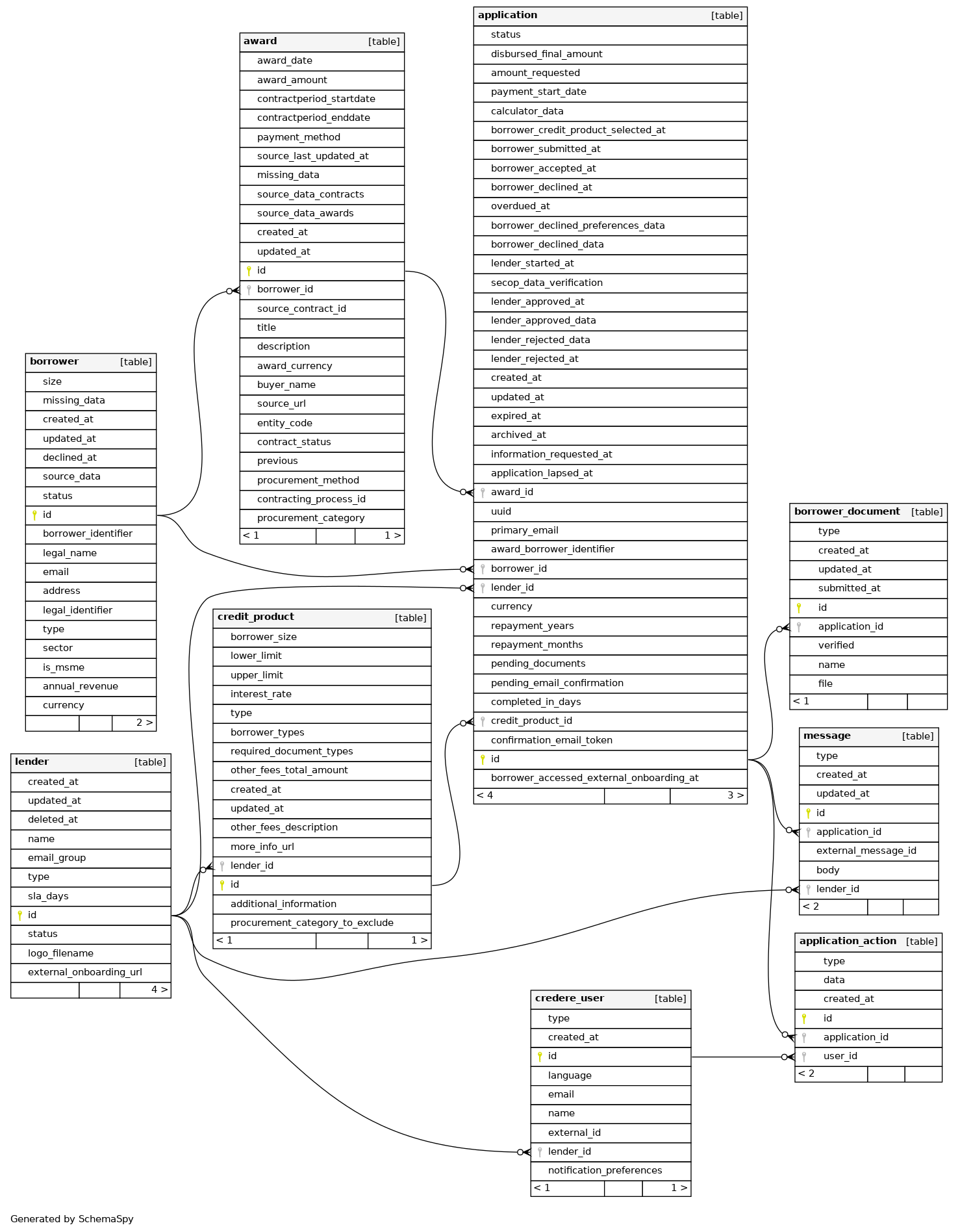
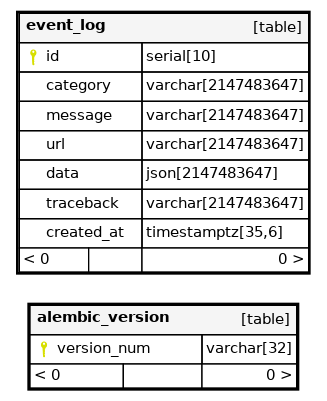
Then, update the Entity relationship diagram. For example:
java -jar schemaspy.jar -t pgsql -dp postgresql.jar -o schemaspy -norows -I '(django|auth).*' -host localhost -db credere_backend -u MYUSER
mv schemaspy/diagrams/orphans/orphans.png docs/_static/
mv schemaspy/diagrams/summary/relationships.real.large.png docs/_static/
Update email templates
Note
This section is a stub.
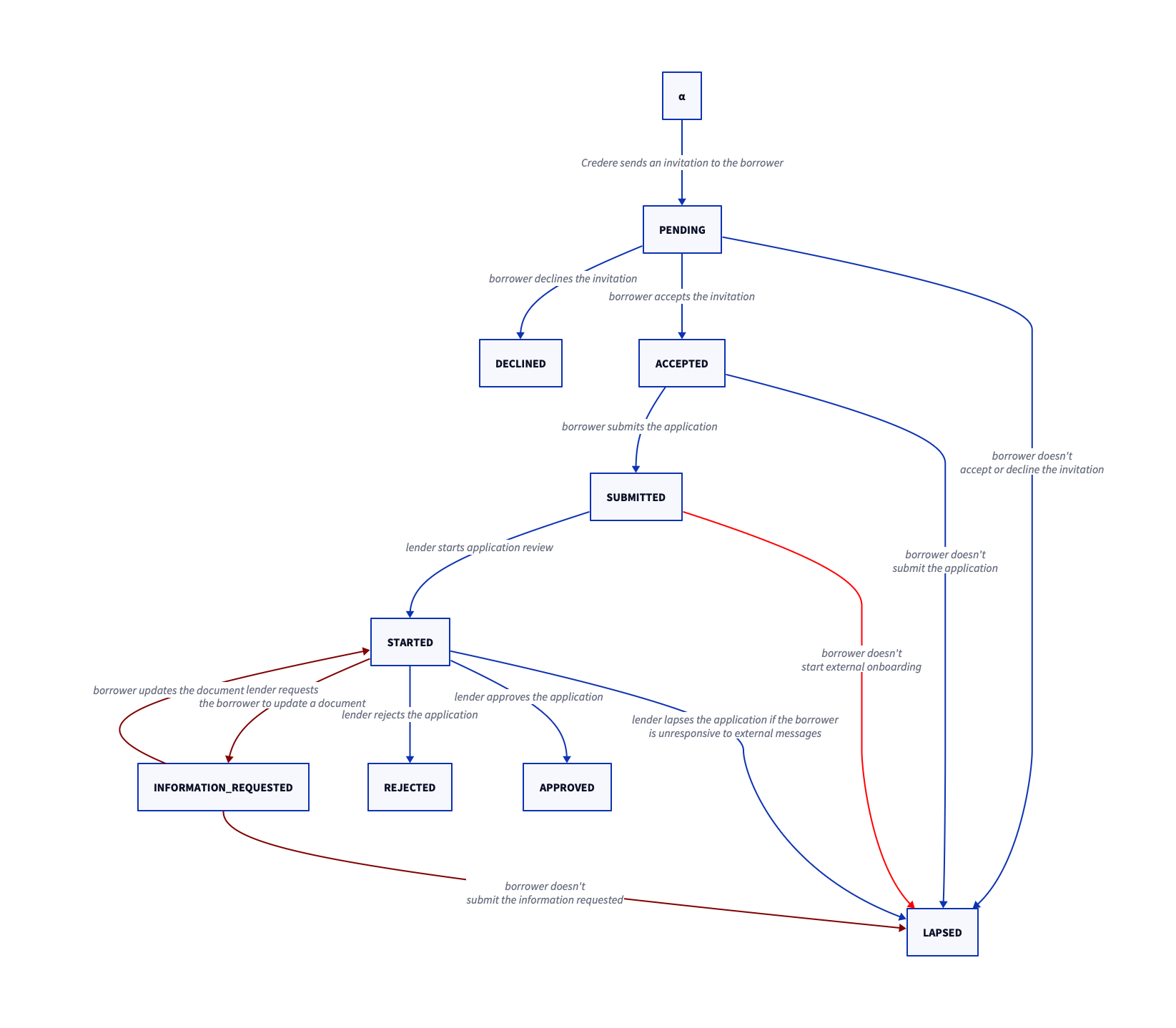
Application status transitions
Entity relationship diagram